The final account should not be the first complete view an owner or operator gets of a port call. By then, a schedule change has already happened, services have already been delivered, and the commercial decisions behind the account are harder to reconstruct.
PortFlow's Owner & Operator Portal keeps the operational picture and the account connected. It gives the people responsible for the vessel a direct view of the call, without turning every question into another email, spreadsheet, or message to the agency.
One Call, One Operational View
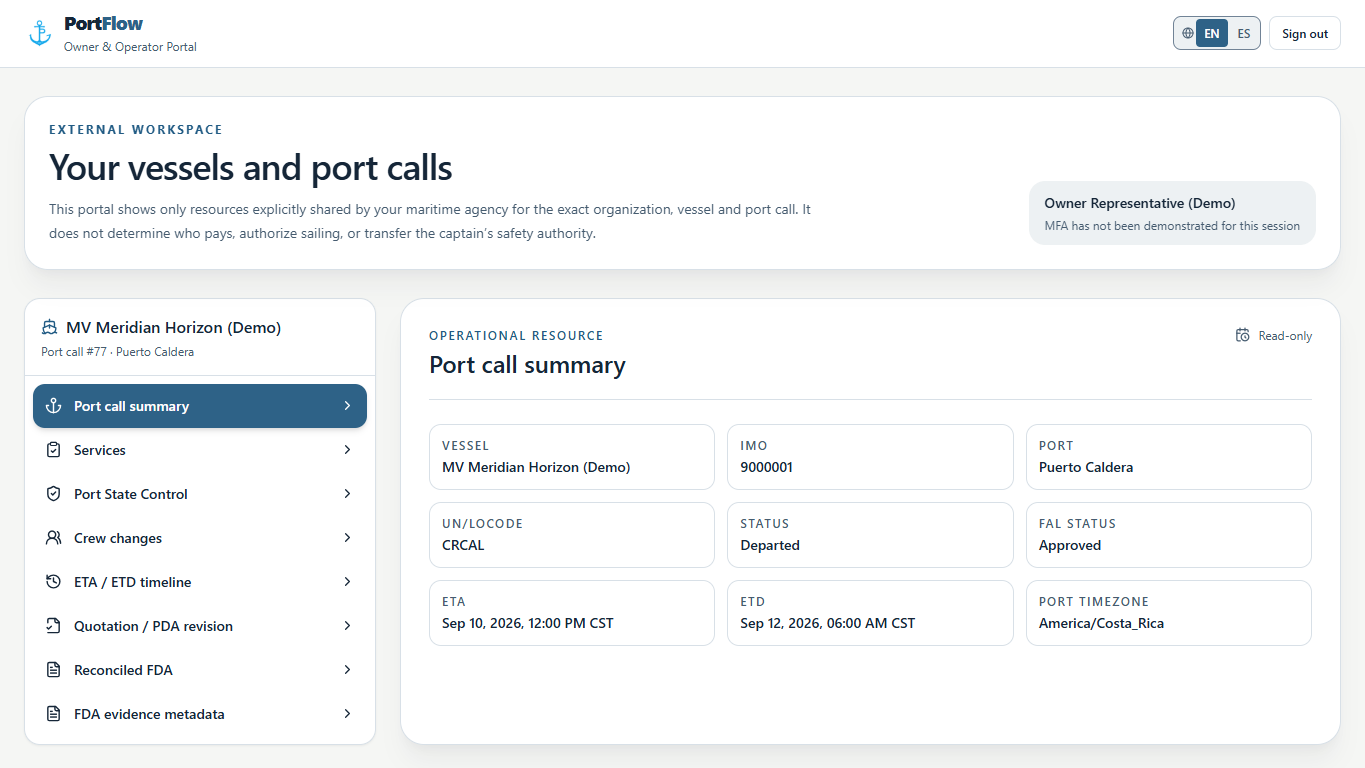
An owner or operator usually receives port-call information in pieces. The estimated arrival may be in one email, a revised departure in another, and the service status in a message sent later. Each update may be correct, but the reader still has to assemble the call by hand.
The portal starts with the shared context: vessel, port, call status, arrival, departure, and the current compliance status. From there, each operational and commercial resource remains attached to that same call. The result is a usable picture of what is happening now, not a recap prepared after the event.
See Schedule Changes While They Can Still Matter
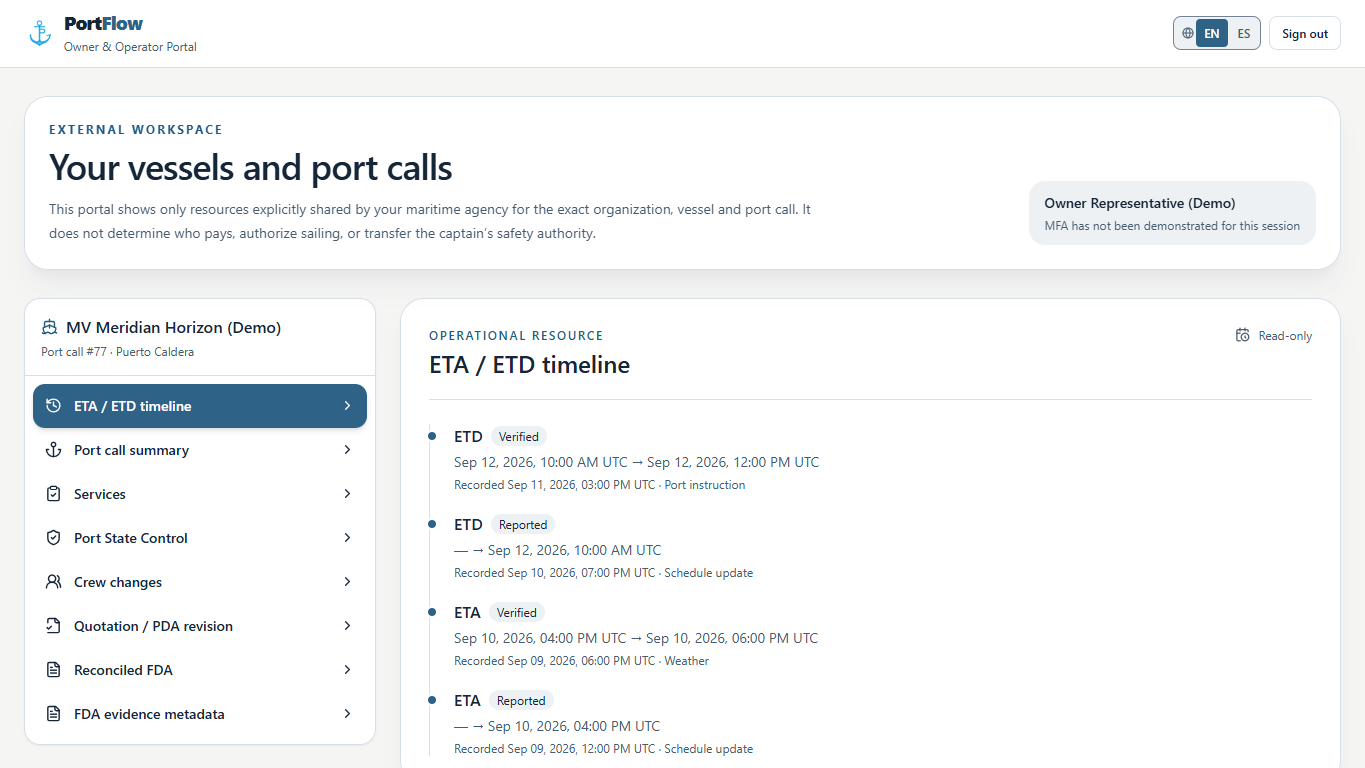
Time affects the operation and the account. A revised ETA can change a service window. A departure adjustment can affect crew movements, launches, vendors, and the sequence of work ashore. The important question is not simply what the latest time is, but what changed and when it was recorded.
The ETA and ETD timeline keeps reported and verified changes in order, together with their reason. Owners and operators can follow the movement of the schedule without searching through prior messages to identify the current position.
Know What Shore Is Handling
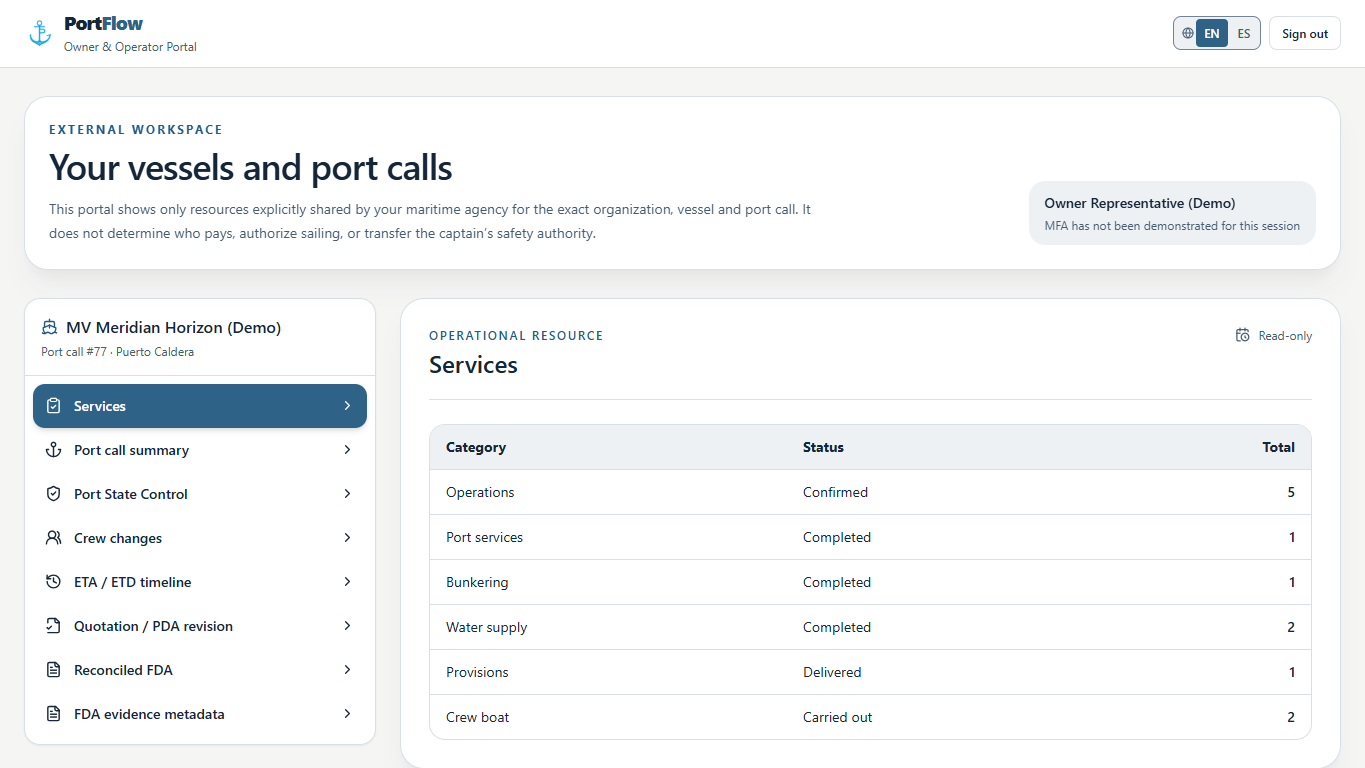
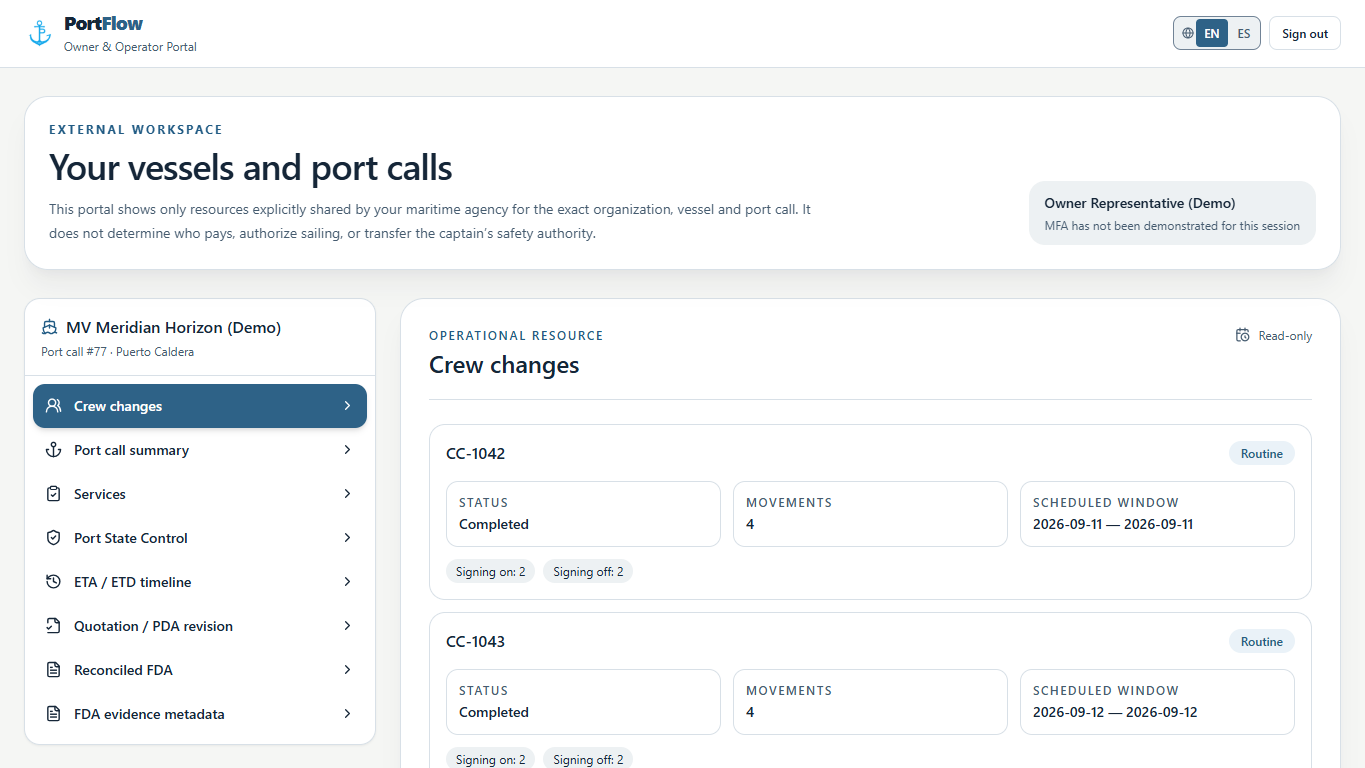
Operations, bunkering, water supply, provisions, port services, and crew boats all generate questions. Has the service been confirmed? Was it completed? Is the crew movement still scheduled? The portal answers those questions from the call record instead of asking the agency to prepare another status report.
Service categories show their current status and count. Crew changes keep the scheduled window, movement totals, and completion status together. That gives the operator useful visibility while the agency continues coordinating the work.
Review the Current PDA, Not an Old Attachment
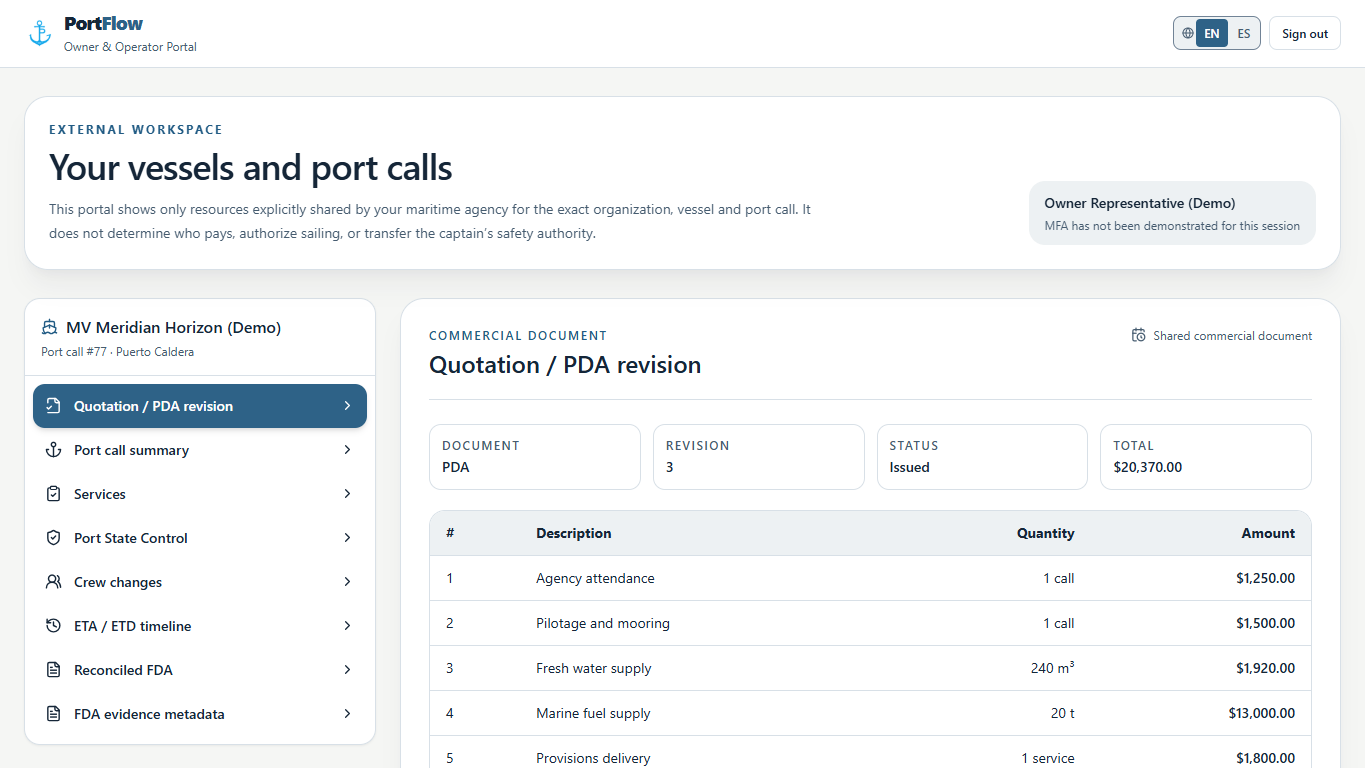
Commercial decisions become difficult when several versions of the same document are circulating. A figure can be correct and still be the wrong figure to approve because it belongs to an earlier revision.
PortFlow presents the issued PDA with its revision, total, quantities, and line items together. The owner or operator can review the cost in the context of the same port call and request clarification before the account moves forward. The agency sees the decision against the document that was actually reviewed.
Check the Final Cost Against the Estimate
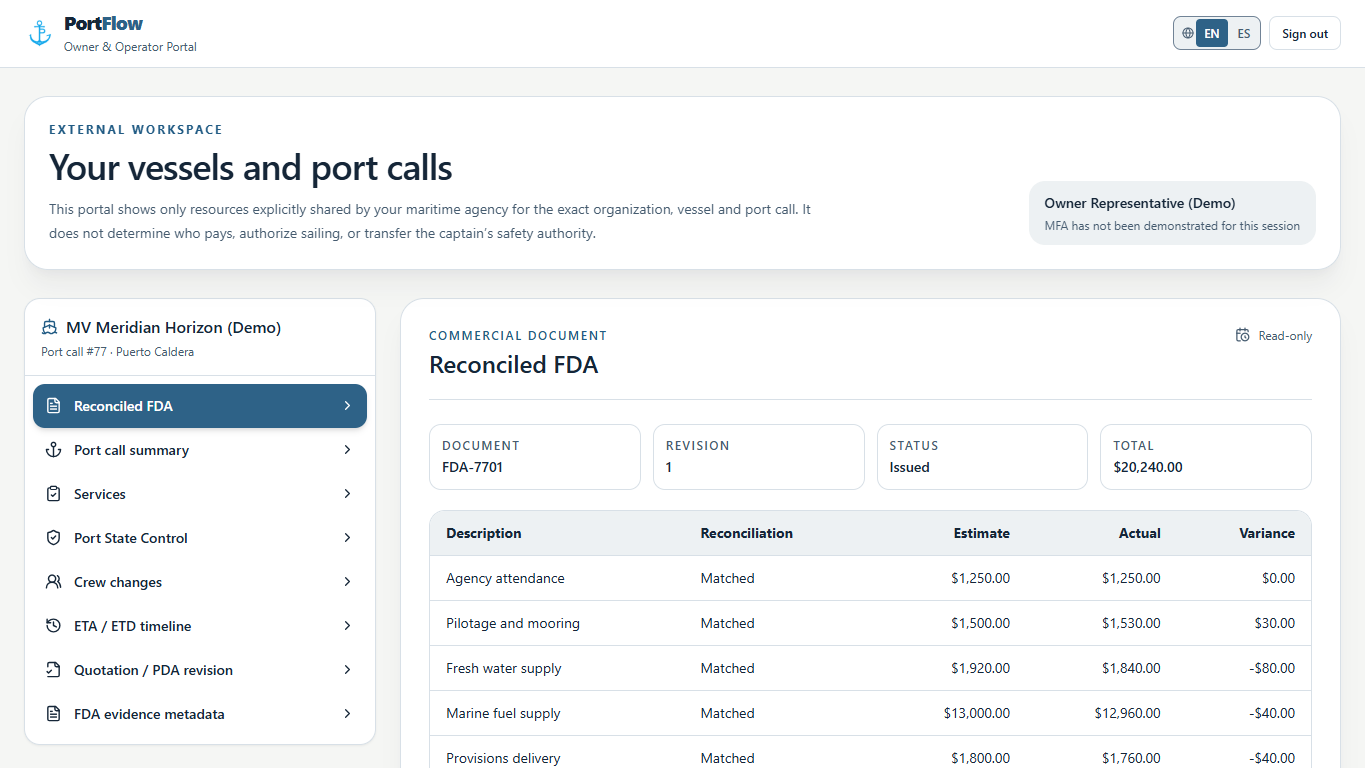
The total alone does not explain a final account. What matters during review is which line changed, whether the amount increased or decreased, and how the actual cost compares with the estimate that informed the decision.
The reconciled FDA places the estimate, actual amount, and variance on the same line. Owners and operators can review the account without rebuilding it in a separate spreadsheet. The portal also keeps the supporting record associated with the call, so the commercial review begins with the same information the agency used to prepare the account.
A Better Working Relationship With the Agency
Visibility does not replace the port agent. It gives the relationship a better working record. The agency spends less time repeating information that is already available, while the owner or operator can see the position of the call before deciding whether a follow-up is necessary.
The same principle runs through PortFlow's approach to streamlining port operations: the schedule, services, quotations, and billing work better when they belong to one shared record. For a closer look at how the estimate changes during a call, read why the PDA can change before the vessel arrives.
Know the Call Before the Account Arrives
See how PortFlow gives owners and operators a clearer view of the schedule, the decisions, and the final cost.
Start Free Trial14 days. No credit card required.